The Practice Room / Terminal AI Agents / Episode 1
What are slash commands in Claude Code and Codex
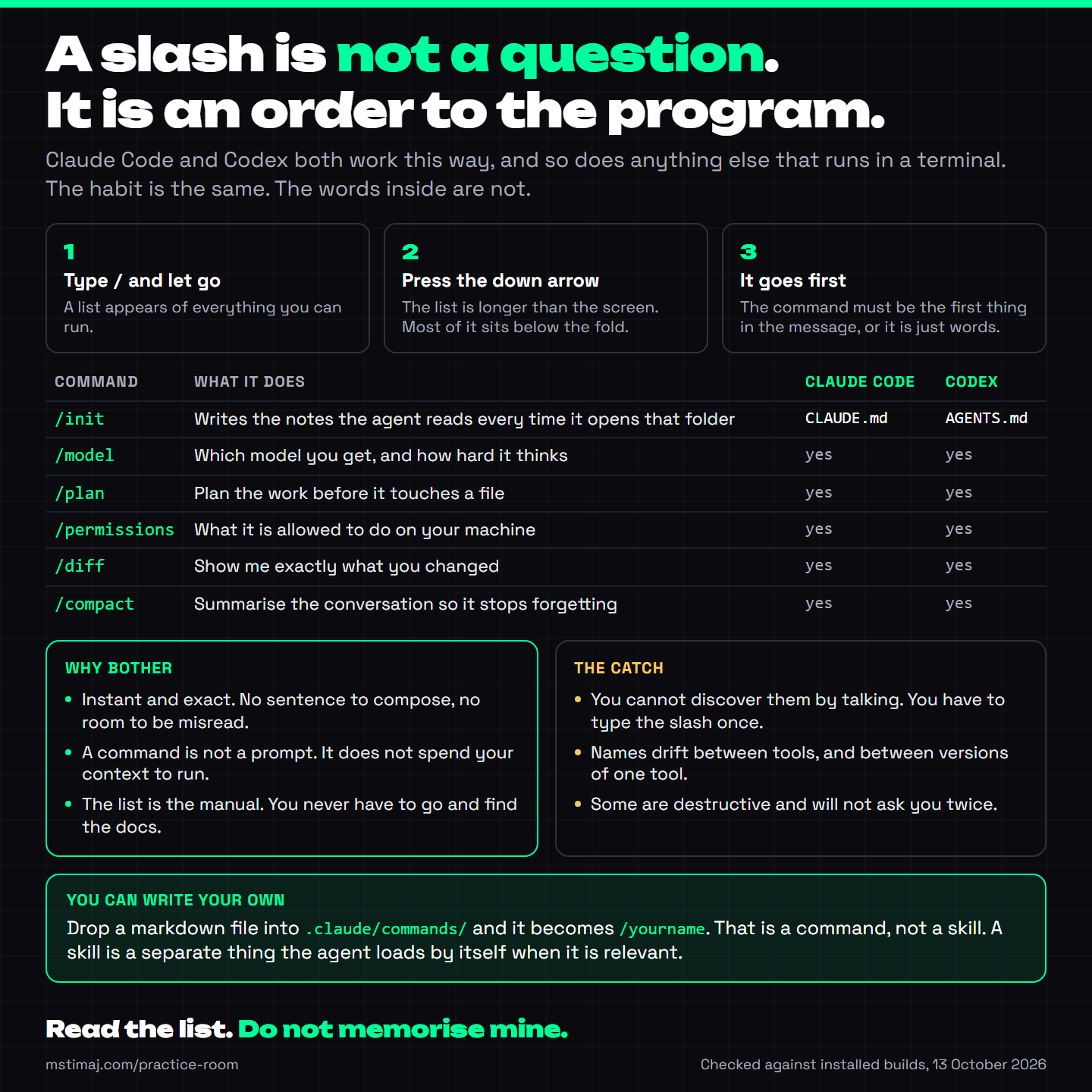
Claude Code and Codex both take commands that start with a slash. They are not questions for the AI. They are instructions to the program itself.
Not questions, instructions
Claude Code and Codex both take commands that start with a slash. These are not questions for the AI. They are instructions to the program itself, and the AI never sees them.
That distinction is the whole lesson. Everything else is reading a list.
Two things you can type, and they are not the same thing
A question
- It reads it and answers
- It decides what you meant
- The reply is text
A slash command
- It runs it
- There is nothing to interpret
- Something happens
The slash is the difference between asking and instructing. One rule everywhere: it has to be the first thing on the line.
Do it yourself
- Open either tool in a folder.
- Type a single / and let go.
- A list appears of everything you can run.
- Press the down arrow. The list is longer than the screen and it keeps going.
- Read it rather than memorising anyone else's favourites.
Two worth knowing in Claude Code
/diff shows you exactly what it changed. This is the one that turns a vague unease about what just happened into a list you can read.
/exit closes it down properly.
Keep scrolling and you reach /init, which writes CLAUDE.md, the notes it reads every time it starts in that folder.
Two worth knowing in Codex
/permissions decides what Codex is allowed to do on your machine.
/model picks which model you get, and how hard it thinks.
So the habit is the same in both tools and the words inside are not. The list is the authority, not anybody's cheat sheet.
The one rule everywhere
The command has to be the first thing in the message. Put a single word in front of it and the slash becomes ordinary text, and the AI answers it as a question.
This is the mistake people make most, and it looks like the command is broken rather than like it was never run.
Check yourself
Who reads a slash command, the AI or the program?
The program. Slash commands are instructions to the tool itself.
How do you see what is available?
Type one slash on its own and let go. Then press the down arrow, because the list is longer than the screen.
Which command shows what Claude Code just changed?
/diff
You typed please /exit and nothing closed. Why?
The command was not the first thing in the message, so it was read as ordinary words.
When it goes wrong
The command came back as a chatty answer. Something was in front of the slash. Retype it with the command first.
The command exists in one tool and not the other. That is normal. The habit carries across, the vocabulary does not.
A command you read about is missing. These lists change between versions. Trust the list on your screen over anything written down, including this page.
Words used here
What Claude Code is • Claude Code and Codex compared • AI agent
Go deeper
Both vendors keep a current list: Claude Code slash commands and the Codex CLI reference.
What she says in the film
Claude Code and Codex both take commands that start with a slash. They are not questions for the AI. They are instructions to the program itself.
Type one slash on its own and let go. A list appears of everything you can run.
That list is longer than the screen. Press the down arrow, and it keeps going.
Two worth knowing in Claude Code. Slash diff shows you exactly what it changed.
Slash exit closes it down properly.
Keep going and you reach slash init. That one writes a file called CLAUDE.md, the notes it reads every time it starts in that folder.
Now Codex. Same slash, and the same list that keeps going.
Slash permissions decides what Codex is allowed to do on your machine.
Slash model picks which model you get, and how hard it thinks.
So the habit is the same in both, and the words inside are not. Read the list rather than memorise mine.
One rule everywhere. The command has to be the first thing in the message, or it is just words.
That is your tip for today.
No permission required.
Book a session and we do it together on a call.
Book an hourAsk what did not make sense
Comments go through our own form and are read before they appear. Links are not allowed; describe it in words.
More from Terminal AI Agents.

The setting that costs you 3.5x
A word beside the model name decides what every message spends. On Max, Claude's own warning is three and a ha…

Auto, manual, accept edits or plan
Four permission modes, and they are one question: how much changes before you look at it. Set per session, so…

How to make your own Claude skill
Get the next walkthrough.
One email when something goes up. The argument, the film and the term, nothing else. One click to leave.
Have a question now? Ask Mstimaj, she knows the archive.