There is a job you have explained to Claude more than once, and probably more than ten times. You open a new chat, you type out the same background, the same rules, the same way you like it done, and then you watch it do the work. Tomorrow you will type all of that again.
You do not have to, because you can write it down one time, in one file, and after that it will stop asking.
That file is called a skill, and the whole thing is smaller than this paragraph.
What a skill actually is
A skill is a folder with a document in it, and that is the entire definition.
The folder lives inside another folder called .claude, which sits in your user directory, and inside the skills folder there is one folder for each job. Open any of them and you find a single file called SKILL.md, where the .md means markdown, which is a plain text file with a few conventions about headings, and you can open it in Notepad.
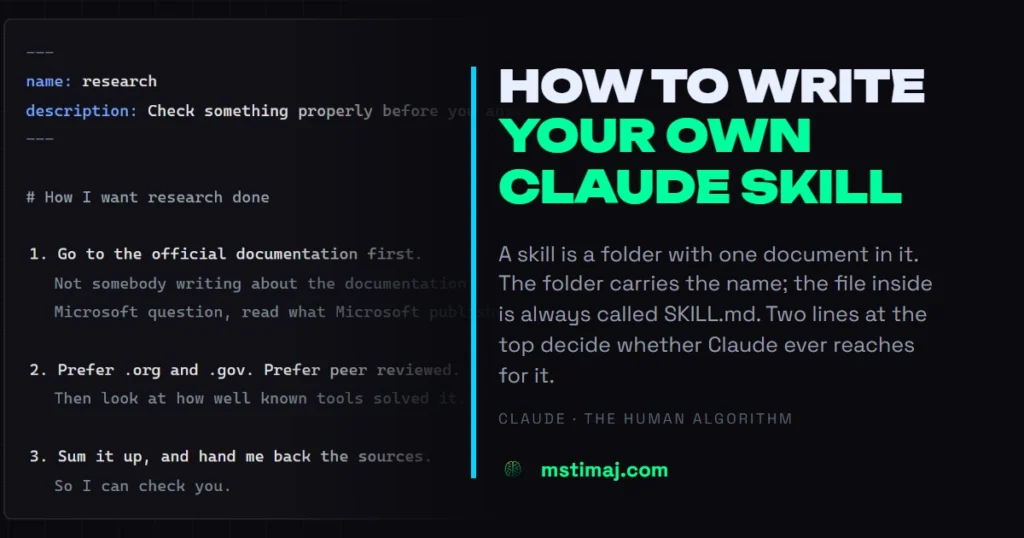
At the top of that file there are two lines:
---
name: research
description: Go out and check a claim properly. Use when I ask you to verify something, audit a page, or check whether a product actually does what a blog says it does.
---
Underneath, in plain English, you write how you want the job done.
That is it. There is no code and there is no install, because a skill is only you, writing down the thing you are tired of saying.
Agent is the word nobody uses
Claude is an agent. That word gets thrown around and rarely explained, so here is the plain version: a chatbot answers you, and an agent goes and does the work. It opens files, runs commands, checks its own output, and comes back when it is finished.
An agent can read instructions you leave lying around for it, and that is the only reason any of this works. You are not configuring software so much as leaving a note for something that reads notes.
The description is the line everybody wastes
Most people treat the description as a label, but it is not a label at all, it is the whole mechanism.
Claude reads the description to decide whether to reach for the skill on its own, without you calling it. Write “research stuff” and it will sit in the folder, unused, forever. Write “use when I ask you to verify something, audit a page, or check whether a product does what a blog says” and it shows up at the moment it is needed.
I watched this happen on camera last week, when I asked for a one page website and never once mentioned the word site. The tool went through its own skills, found one that matched what I had described, announced it, and used it. I never pointed at anything.
So when you write that line, do not describe what the skill is, describe when you want it.
In the terminal
Open Command Prompt, type claude and press enter, and then type /skills at the prompt.
A list comes up of every skill you have, each one carrying a line that says what it does, and each one marked on or off.
To use one, type a slash and its name at the start of your message, so /research or /morning, because the name is just the name.
Here is the part that confuses people, and it confused me until I checked the documentation. If you have been making slash commands by dropping a .md file into .claude/commands/, those are skills too. Anthropic merged custom commands into skills. A file at commands/morning.md and a folder at skills/morning/SKILL.md both give you /morning, and both work the same way. One file is the old shape and a folder is the new shape, and nobody has to migrate anything.
The folder version can do a little more, because it can hold other files beside the instructions and it can carry the frontmatter that lets Claude load it by itself.
In the desktop app
The desktop app is where most people will actually do this, and it is a different door to the same room.
Open Claude, go to Customize, and you will find Skills sitting beside Connectors and Plugins. Those three get mixed up constantly, so: a skill is instructions, a connector is a door to an account you already have, and a plugin is a box that can hold both.
One warning about finding it. Do not learn its position in the menu, because the position moves: in the chat view there are other things above it, and in the code view it sits further down. Learn the word Customize rather than the place.
Inside, there are four ways to get a skill, and we have never shown any of them.
Add one that already exists. Anthropic ships a set of them. There is a data one that arrives with several skills packed inside it, analyse, build a dashboard, create, with a readme explaining what each does. There are categories down the side for productivity, design, finance and engineering, and you click Add and it is yours.
Upload one. If somebody sends you a skill folder, you can bring it in whole.
Create one. There is a Create a skill button, and it is only in the desktop app rather than the code view. It asks for a name and a description, lets you attach files, and then you type out how you want the job done. Summarise the work, the wins, the blockers and the next steps. Keep the tone professional but not stiff.
Let Claude write it. This is the one I would tell you to use. Open a chat, say you want to make a skill, and tell it what you are sick of repeating, and it writes the file for you.
If you cannot explain it, record your screen
This is the trick worth the whole article.
Sometimes you cannot put the job into words, because you know how to do it with your hands and every time you try to describe it you leave something out. So stop describing it, record your screen while you do the job once, and hand Claude the recording. It watches what you did and writes the instructions up.
You are not writing a specification for anybody, you are simply showing somebody the job.
Write a loop, not a list
The skills that change your week are the ones shaped like a loop.
One of mine is a research routine. It tells Claude where to look, which sources to weight and which to distrust, to check the official page rather than somebody else’s summary of the official page, and to keep going until the question is actually answered. Go, check, weigh, report, repeat.
Another runs an application pass. Open the inbox, clear it, sweep, filter, build the application, submit, follow up, and repeat until the batch is done. Twenty-five at a time, with a list of things to always do and a list of things to never do.
The difference between a useful skill and a note you never open is whether it describes a cycle or a single favour. A single favour is a message, and a cycle is a skill.
So when you write yours, finish it with the repeat: say what happens, then what happens next, then say go back to the start until there is nothing left.
It edits itself
The part I did not expect is that the file does not stay still.
Every time I tell Claude no, not like that, it goes back into the skill and writes that down. The do-not list grows and the preferences sharpen. Three months in, the file is better than anything I would have written on day one, because it was built out of corrections instead of guesses.
Which means the first version does not have to be good. It only has to exist, because you are not writing a finished document so much as starting one, and the thing that uses it will help you finish it.
Start with the thing you said twice today
Do not try to write a skill for your whole job. Think instead about the one thing you explained twice this week, open a folder, and write down how you want it done.
The next time you need it, it will already be there, and the time after that you will not even have to ask.
Forward → Upward ↑ Onward ↗
Mstimaj
Sources and Further Reading
- Anthropic, Agent Skills in Claude Code: code.claude.com/docs/en/skills
- Anthropic, anthropics/skills repository, including the
template/SKILL.mdstarting point: github.com/anthropics/skills
Say something back
Comments go through our own form and are read before they appear. Links are not allowed; describe it in words.